Introducing TNCrossPromo: Cross-Promote Your Apps with Style
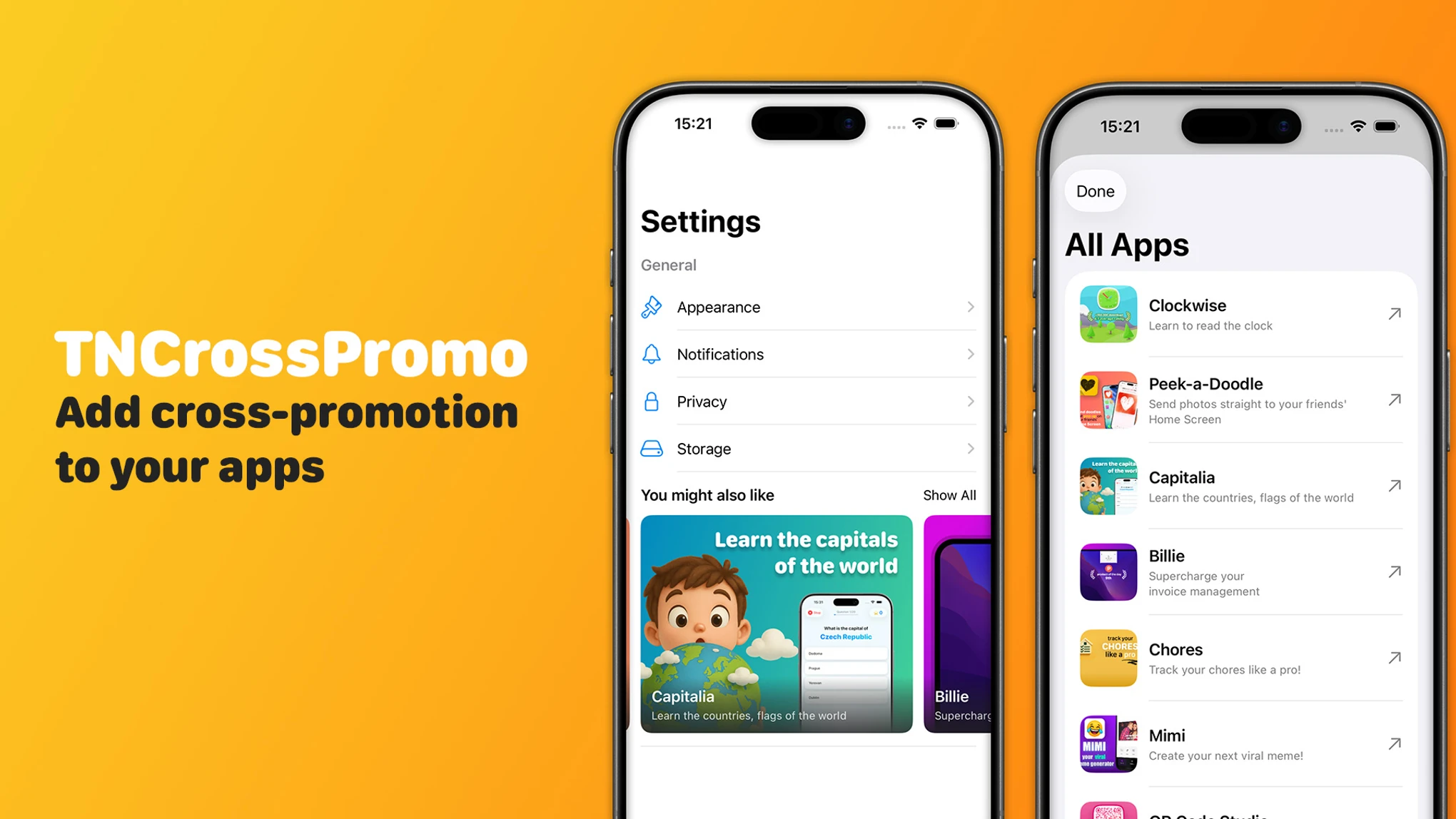
I’m excited to release TNCrossPromo, a new open-source Swift Package that makes it effortless to add “You might also like” sections to your iOS apps.
If you have multiple apps on the App Store, you know the challenge: how do you let users of one app discover your other apps without hardcoding everything? TNCrossPromo solves this by letting you manage your app promotions through a simple JSON feed.
Why TNCrossPromo?
When I started building more apps, I wanted a clean way to cross-promote them without:
- Hardcoding app information into each app
- Releasing updates every time I launch a new app
- Building the same UI components over and over
TNCrossPromo addresses all of these with a flexible, remotely-configured solution.
Key Features
Ready-to-Use SwiftUI Views
TNCrossPromo comes with two polished view components:
- CrossPromoFeaturedView: A horizontal carousel with pagination, perfect for highlighting featured apps
- CrossPromoListView: A full list view with pull-to-refresh functionality
Both views are fully customizable and ready to drop into your Settings screen or anywhere else in your app.
Flexible Card Styles
Choose between two card presentation styles:
- Standard: Clean layout with text displayed below the image
- Overlay: Modern look with text overlaid on a blur effect
Smart Caching
The package includes built-in caching to minimize server requests. Your users get fast load times, and your hosting stays lightweight.
Security First
TNCrossPromo validates all URLs, restricting them to HTTPS for images and HTTPS or itms-apps:// schemes for destinations. No unexpected URL schemes will slip through.
Getting Started
Installation
Add TNCrossPromo to your project via Swift Package Manager:
dependencies: [
    .package(url: "https://github.com/frederik-jacques/TNCrossPromo.git", from: "1.0.0")
]
Or add it directly in Xcode via File → Add Package Dependencies.
Set Up Your JSON Feed
Host a JSON file (GitHub Pages works great) with your app information:
[
  {
    "id": "app1",
    "title": "My Awesome App",
    "short_description": "A brief description of what it does",
    "image_url": "https://example.com/app-icon.png",
    "destination_url": "https://apps.apple.com/app/id123456789",
    "is_featured": true,
    "sort_order": 1
  }
]
Add to Your App
import TNCrossPromo

struct SettingsView: View {
    @State private var viewModel = CrossPromoViewModel(
        configuration: CrossPromoConfiguration(
            feedURL: URL(string: "https://yoursite.com/apps.json")!
        )
    )

    var body: some View {
        List {
            // Your other settings...

            CrossPromoFeaturedView(viewModel: viewModel)
        }
    }
}
That’s it! Your app now displays a beautiful cross-promotion section that you can update anytime by editing your JSON feed.
Customization
TNCrossPromo offers extensive styling options through CrossPromoStyleConfiguration:
- Section titles and button labels
- Image dimensions and corner radius
- Card style (standard or overlay)
- Typography for titles and subtitles
- Spacing and padding
You can also build completely custom UIs using the view model’s direct access to app data.
Requirements
- iOS 17+, macOS 14+, tvOS 17+, watchOS 10+, or visionOS 1+
- Swift 6.2 or later
Open Source
TNCrossPromo is released under the MIT license. The package includes 40+ unit tests to ensure reliability.
Check out the GitHub repository for full documentation, examples, and to contribute!
Happy cross-promoting!

About the Author
👋 Hi, I'm Frederik Jacques, a passionate iOS developer and entrepreneur with over a decade of experience building innovative mobile applications.
I love creating apps that solve real problems and bring joy to users. From educational tools to creative meme makers, I'm always exploring new ways to blend technology with user experience. When I'm not coding, you'll find me sharing insights about iOS development, app monetization, and the indie developer journey.